

HazardCo: Worksite health & safety app
Health and safety software New Zealand construction crews actually want to open on site. Built around QR scanning, digital sign-off, real-time tracking and third-party integrations, shaped by real user research, not assumptions.
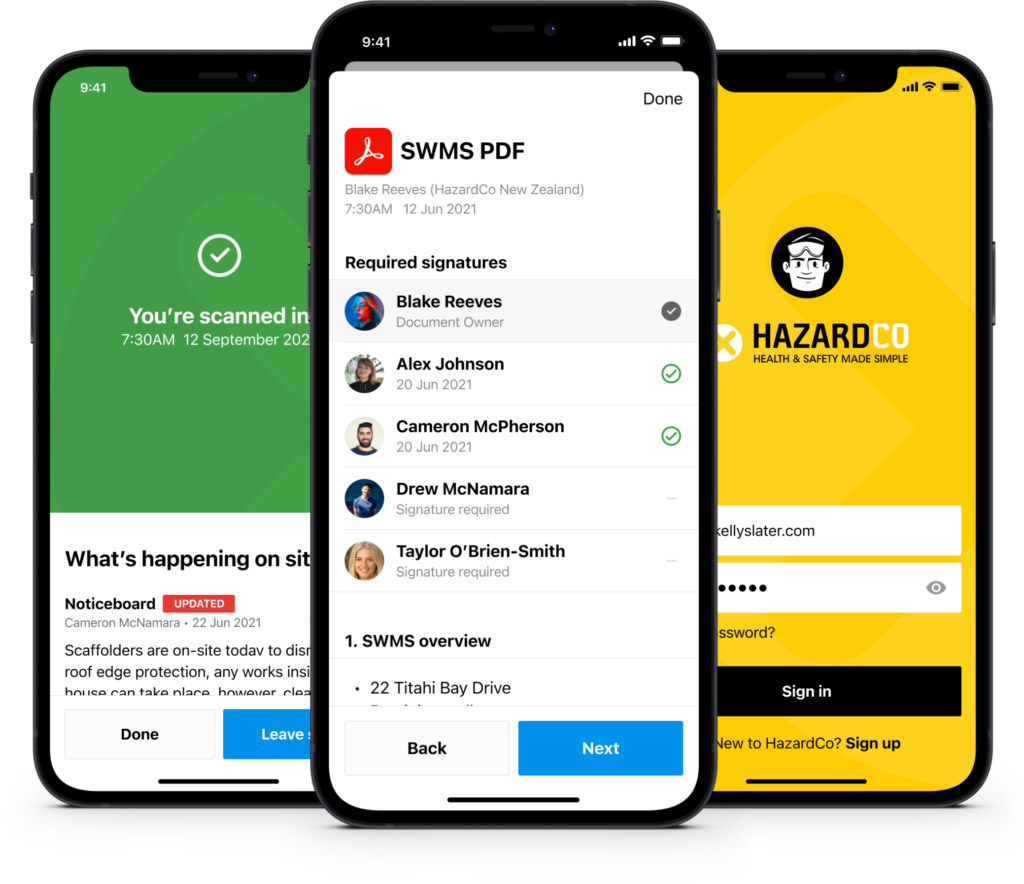
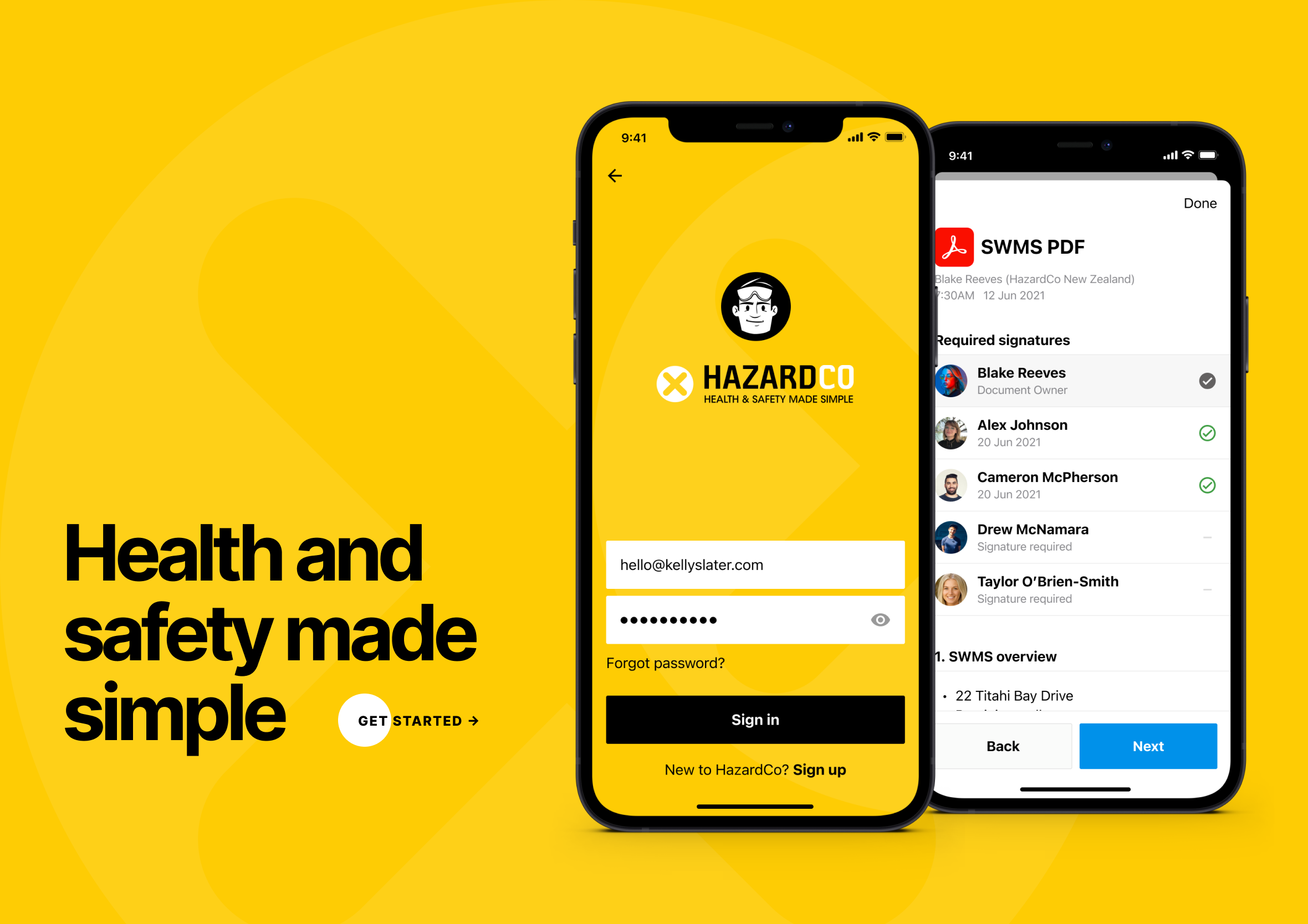
Making health and safety actionable and engaging
Where to start? Like any good story, let’s start at the end and then go back to the very beginning of the journey. HazardCo is worksite health and safety software built for construction crews, not compliance officers stuck behind a desk, QR scanning, digital sign-off, task management and real-time updates, all built to survive being used with gloves on, in the rain, between jobs. Explaining how we got to this point and some of the challenges we faced along the way.
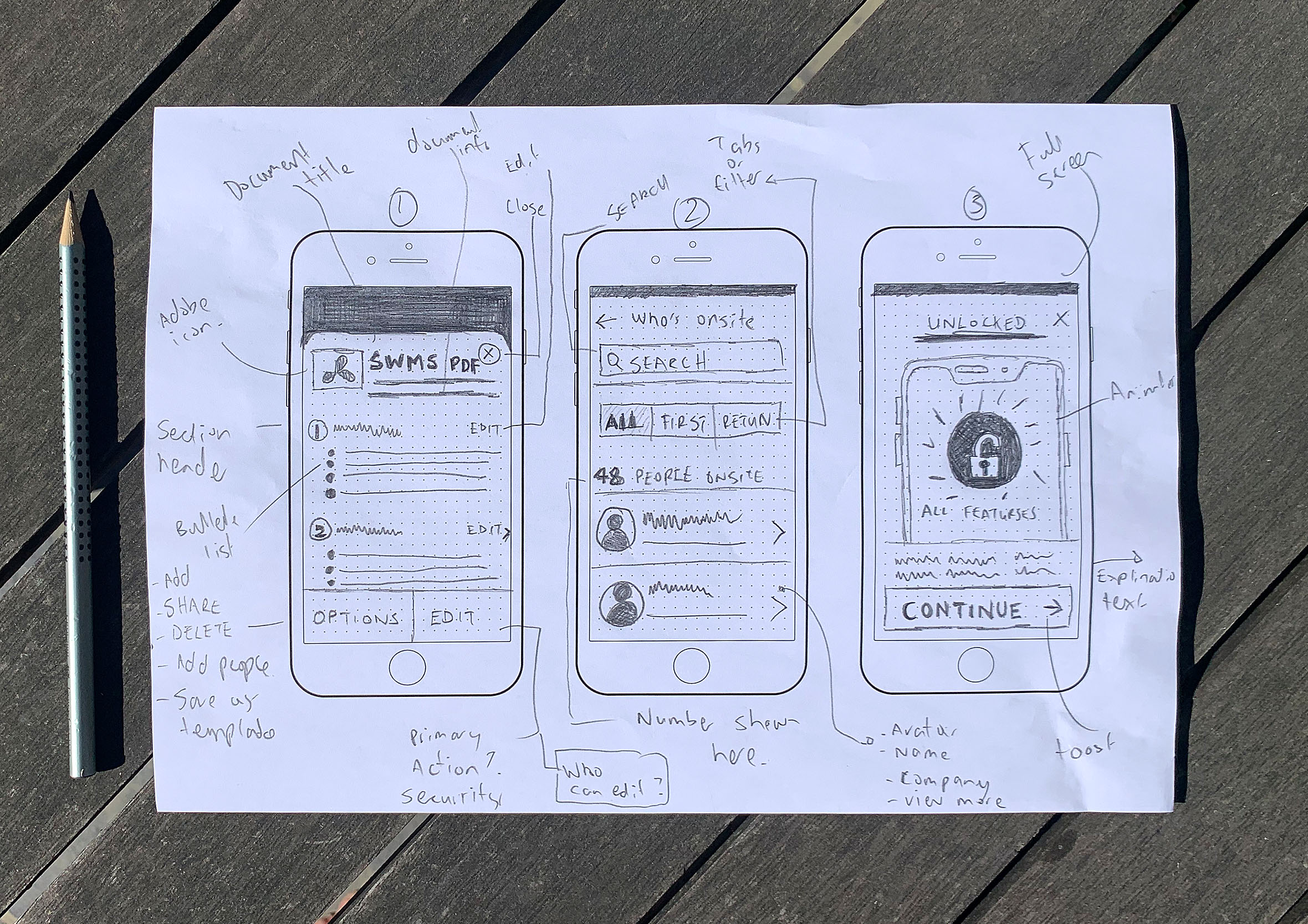
Sketching ideas, user flows and interactions
During the Project Kick-off process (where design, development, testing and various stakeholders define the problem we’re trying to solve) I normally reach for a pencil and paper to get my thoughts down. Capturing rough concepts on paper prevents me from getting bogged down in the details. I can always go back to them later to see if they still hold up. From there, I map out the user flows, how someone actually moves from scanning onto a site through to raising a hazard, and start sketching the key interactions before anything gets any more polished than a rough box and an arrow.
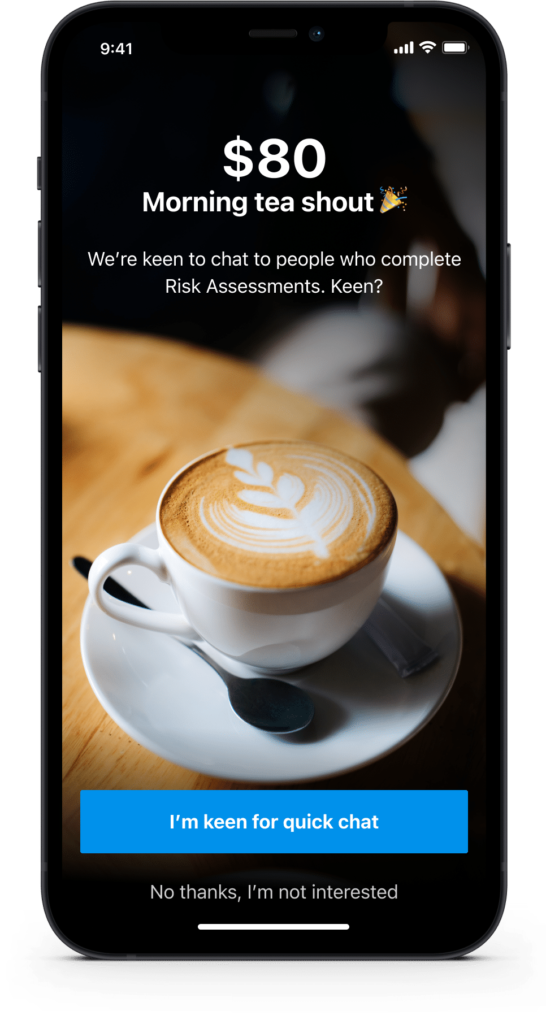
Creative user recruitment for busy work sites
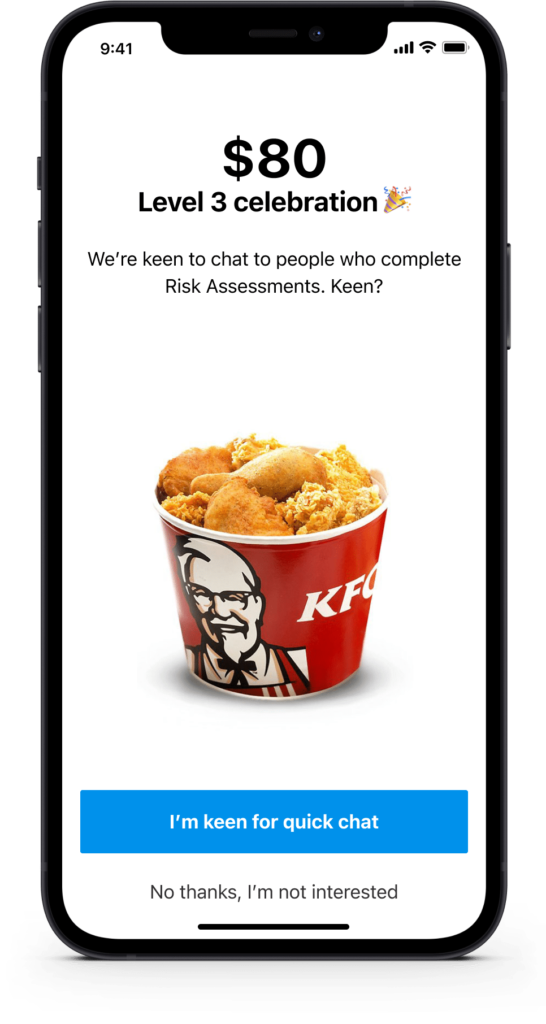
Our customers are busy running building sites so it can be difficult to find people to chat with, especially when you throw COVID into the mix. As a result, we had to reevaluate how we would normally recruit participants for interviews and usability testing. The concept (or carrot) we came up with was hot coffee or comfort food during the colder winter months to entice customers to talk about health and safety.
Remote user interviews during COVID restrictions
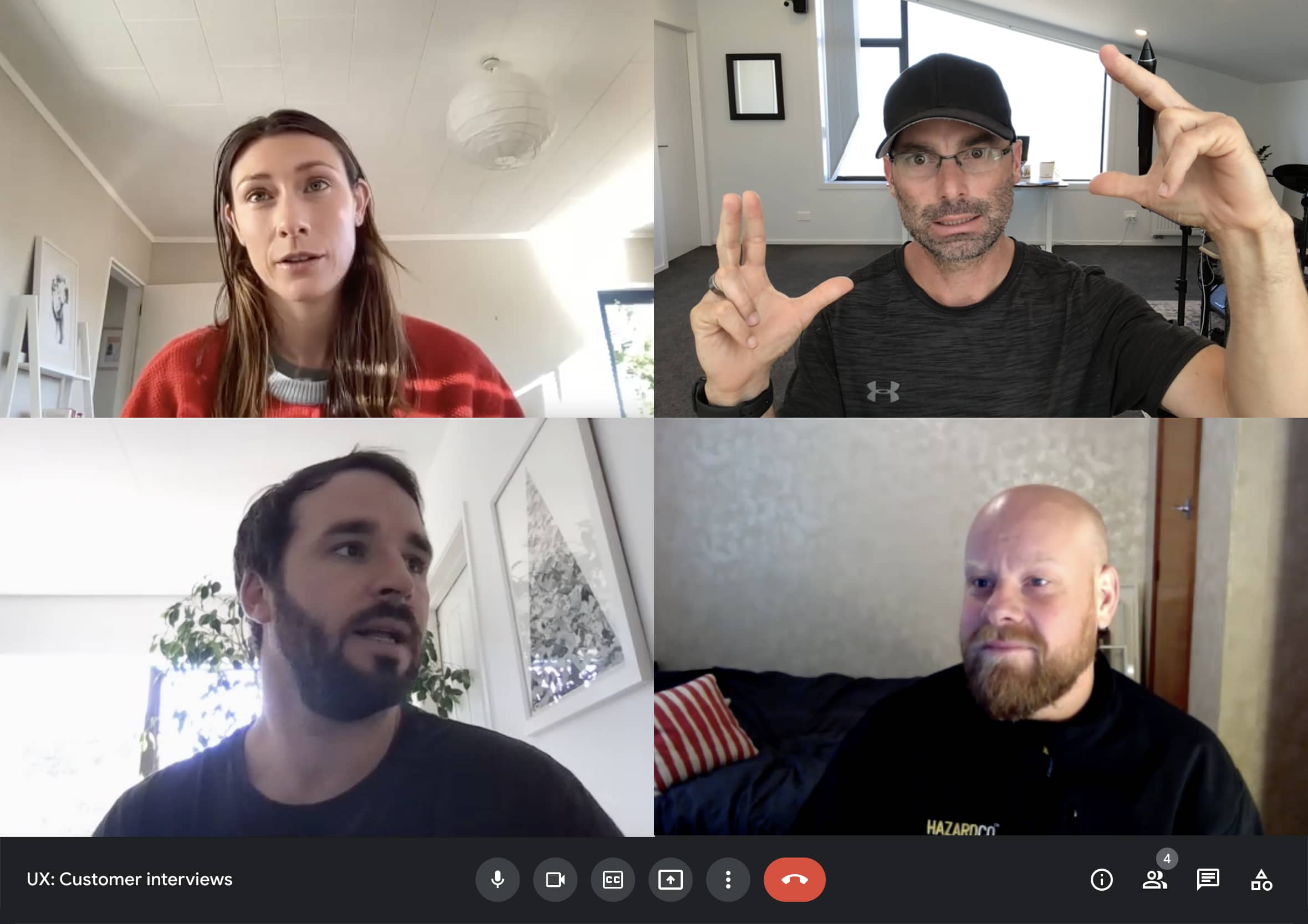
Like the rest of the world, due to COVID-19, we had to adapt to how we would normally conduct user interviews and usability tests. Travel restrictions meant instead of face-to-face and on-site observations we relied heavily on technology. Luckily, the advancement of video conferencing and online collaboration tools made this task an almost seamless process. We quickly transitioned into a new way of doing things.
Validating assumptions and design concepts
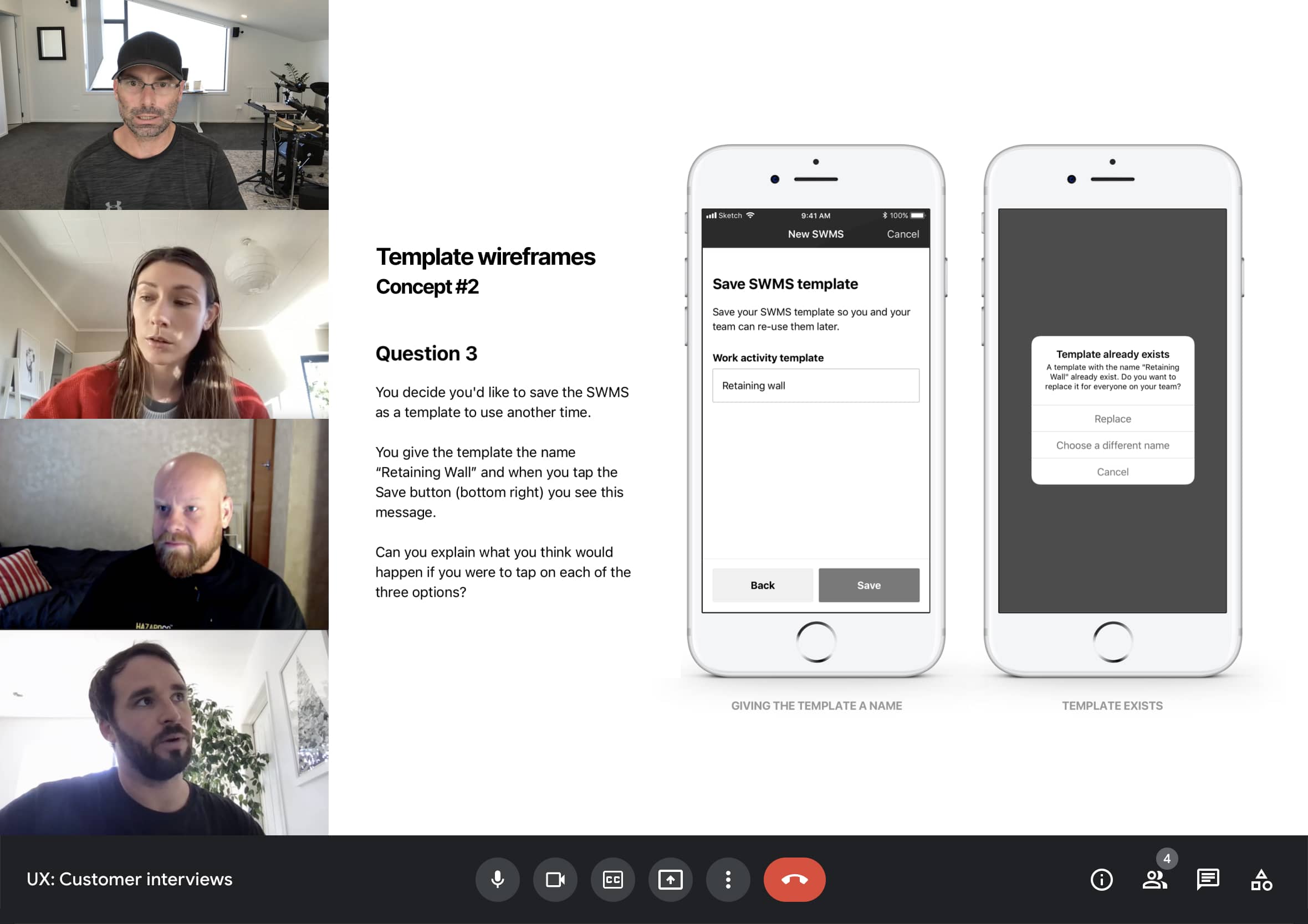
How we expect people to interact with something we’ve designed doesn’t always go to plan, which is why we test and validate our ideas. Lack of clarity around the task, time pressures, previous workarounds and mental models all need to be taken into account and factored into the final solution. At the end of the usability testing process, you have greater confidence in your designs, or you get ideas and insights on how to improve and iterate the product going forward.
Listen to what people are saying
User interviews are the best way to really understand your customers’ pain points, motivations and desired outcomes. Some quotes are so powerful they help provide direction and empathy amongst the product team and stakeholders.
Testing design concepts for compliance and accountability
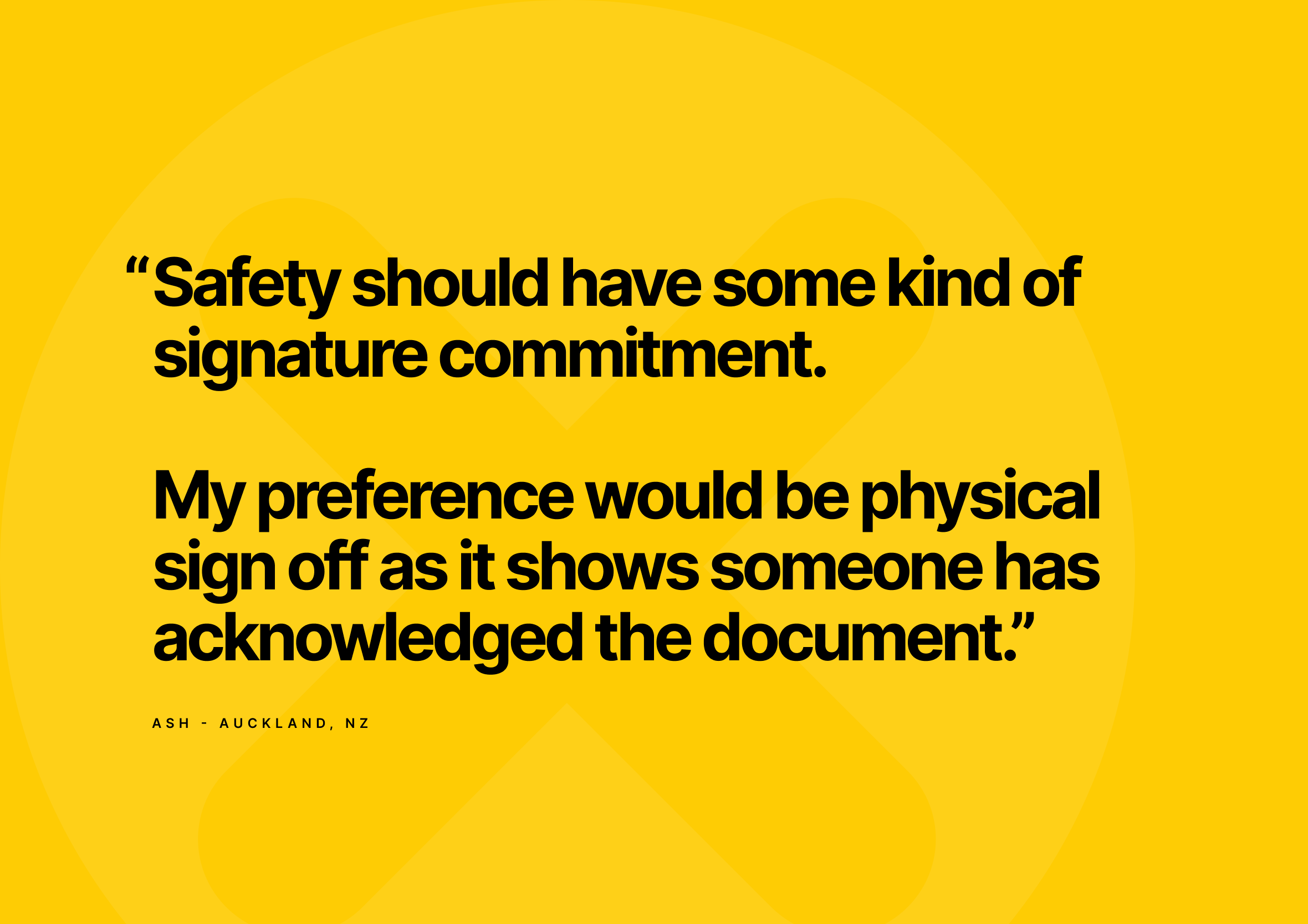
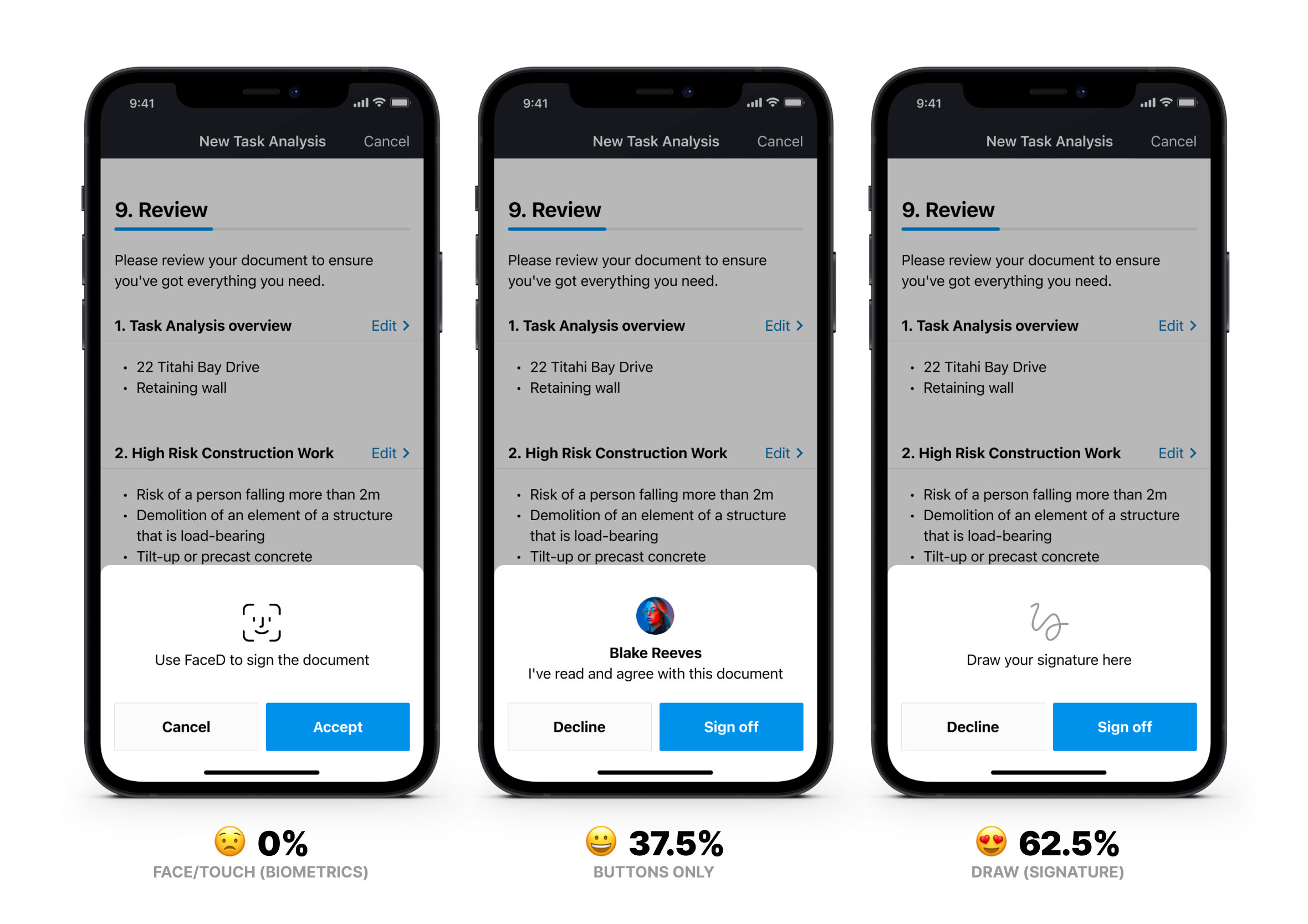
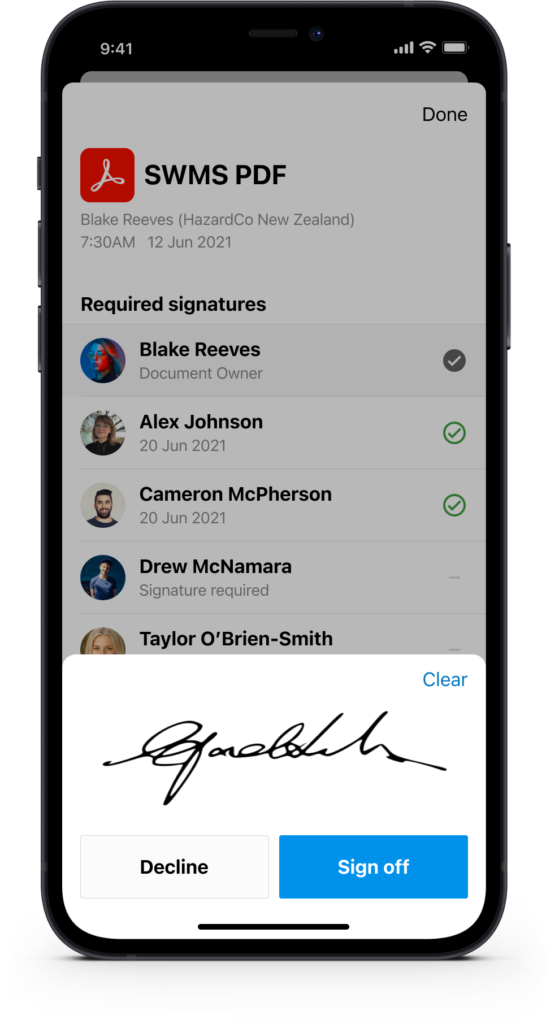
One of the reports requires people to sign off on an agreed process before starting work (this is a legal requirement in Australia). We designed 3 concepts to get feedback from customers to discover which sign off functionality they preferred and why. Overwhelmingly, the people we spoke with chose the signature option due to being held more accountable and how things work in the real world. “Safety should have some kind of signature commitment. My preference would be physical sign off as it shows someone has acknowledged the document.”
Construction site meets sitemaps and Information Architecture (IA)
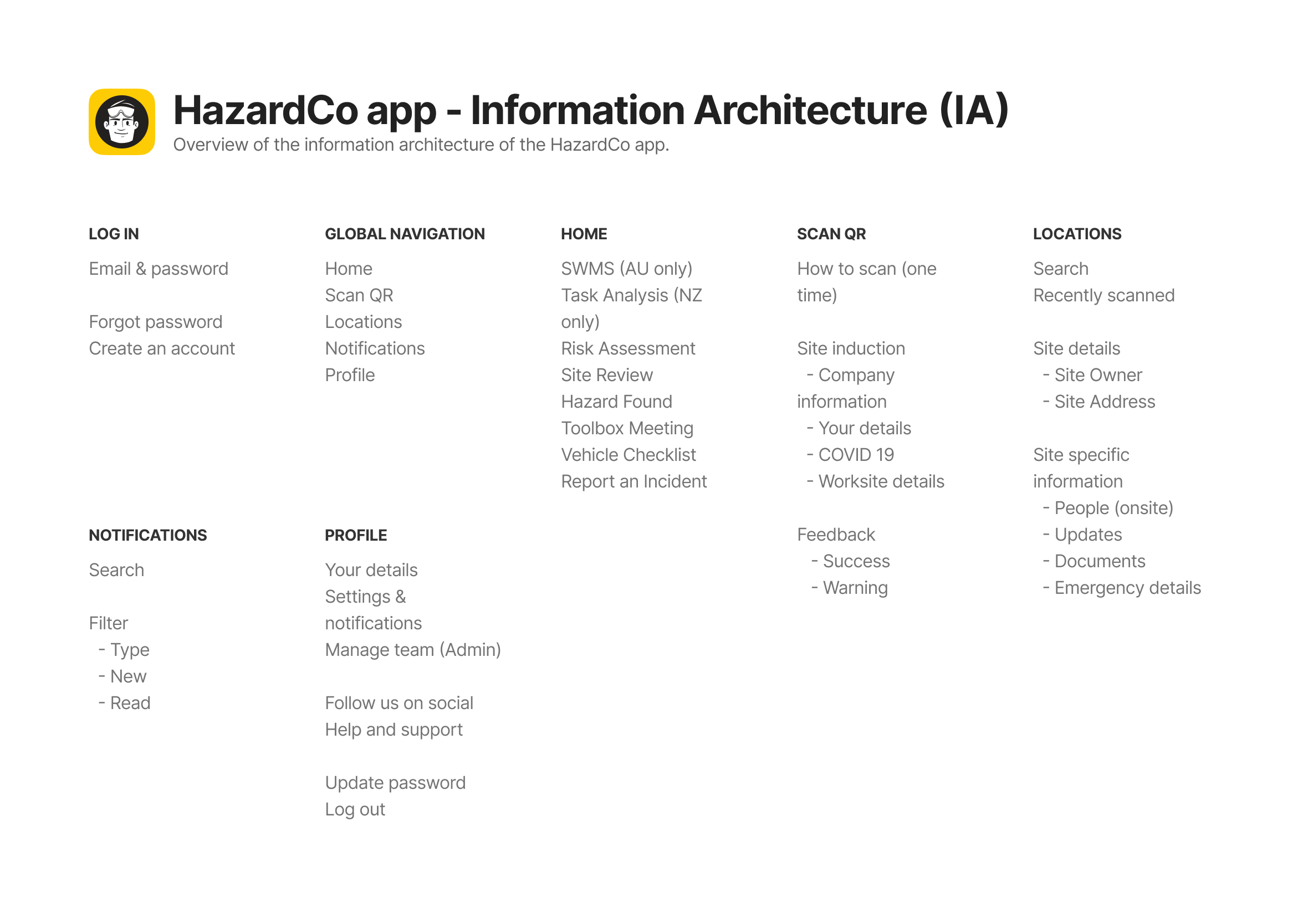
I like to map out high-level views of what screens are necessary and what’s required on each page to help inform future design decisions. It’s not so different from a blueprint for an actual construction site, know where everything needs to sit before you start building, so the whole crew can work from the same plan instead of guessing. Having everything in one place makes it easier to identify areas of improvement or any gaps within the user experience. It also provides a holistic view of the platform for future features, initiatives and how everything fits together.
Brand recognition and personality
We are in a time where many brands are going back to basics and removing vibrancy, watering down their personalities and getting lost in a crowd of simple sans-serif logotypes and predominantly white backgrounds. HazardCo is most recognisable by the yellow hazard boards seen at the entrance of each construction site. Having a more cohesive look and feel between print and digital makes it feel more connected and improves brand recognition.
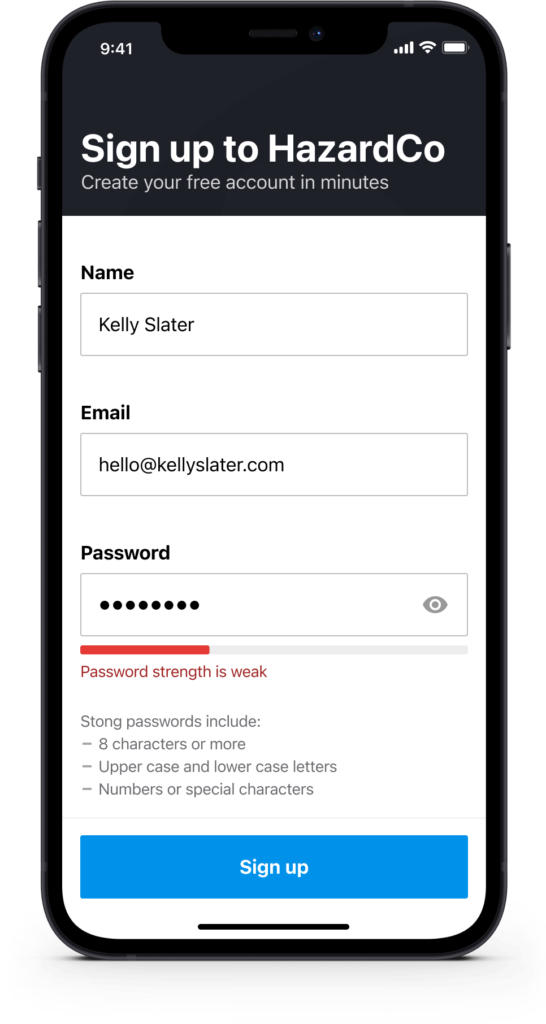
Let people sign up for free to evaluate the product first
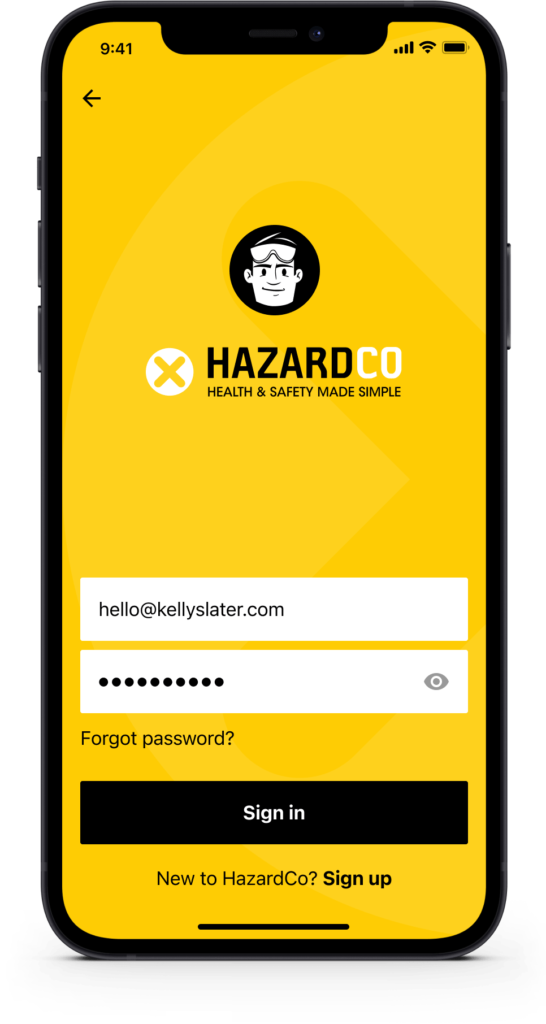
The song “Give It Away” by the Red Hot Chili Peppers states if you give something away for free you’ll get more in return. By giving people the ability to sign-up for a free account, Company Owners saw more on-site engagement, had access to richer information and ultimately provided more value.
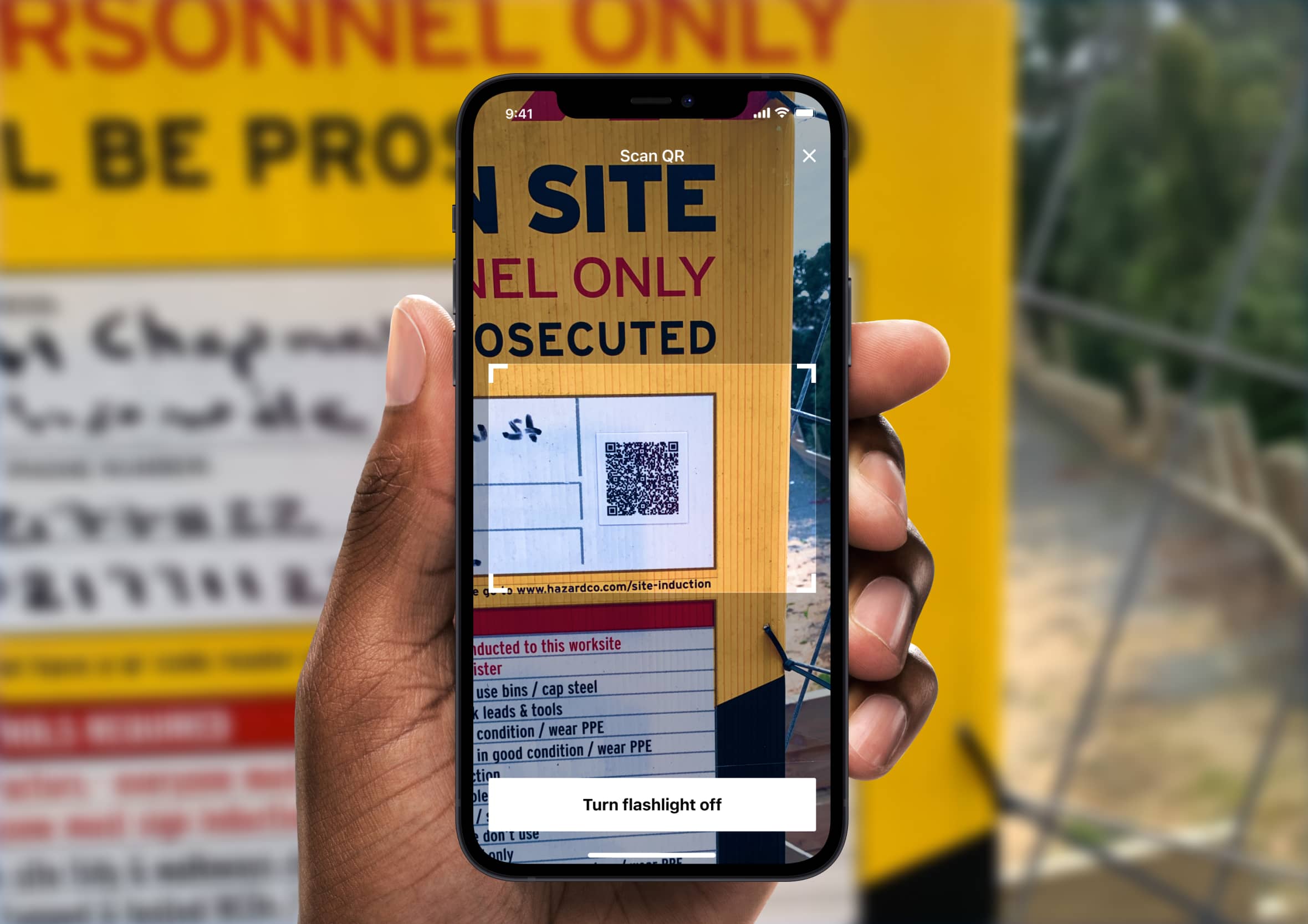
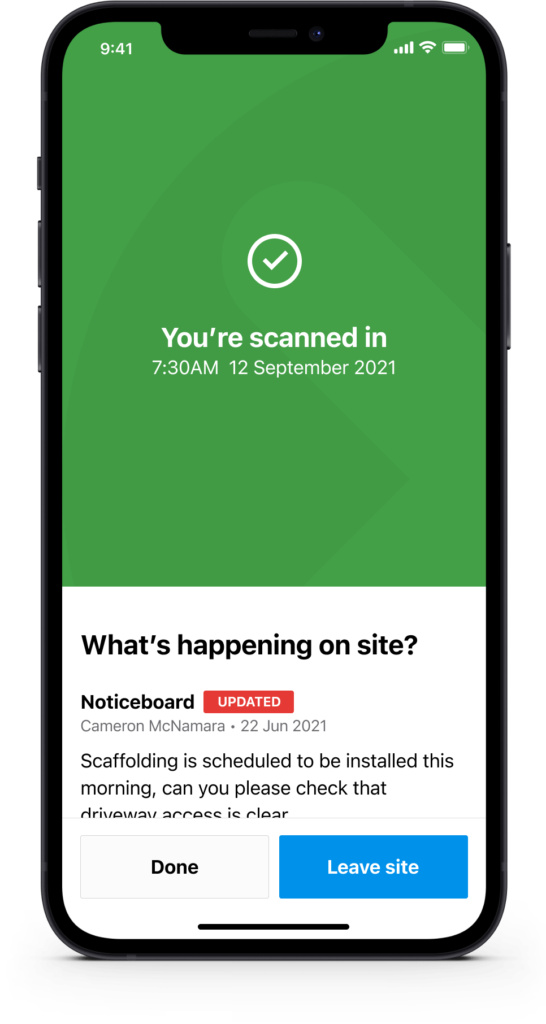
Turn up, scan the QR code before entering the construction site
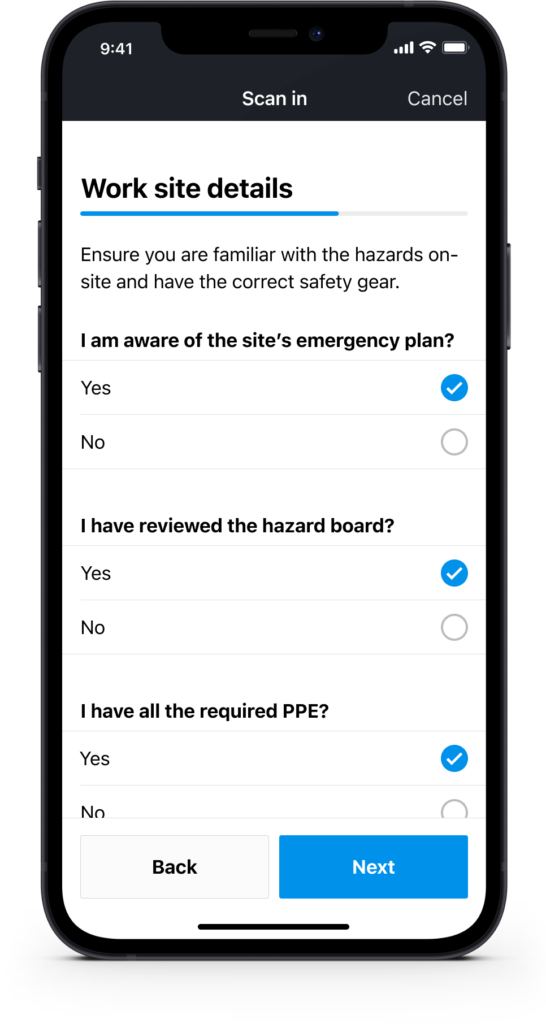
Unique QR codes are placed on each hazard board, allowing people to scan onto worksites. Part of the scan-in process includes a digital Site Induction where people are made aware of any updates or potential hazards on site.
“I can’t think of anyone who has had a better year than the QR code. What a comeback.” Grace Mulvey, 2021.
Get access to important site updates and safety information
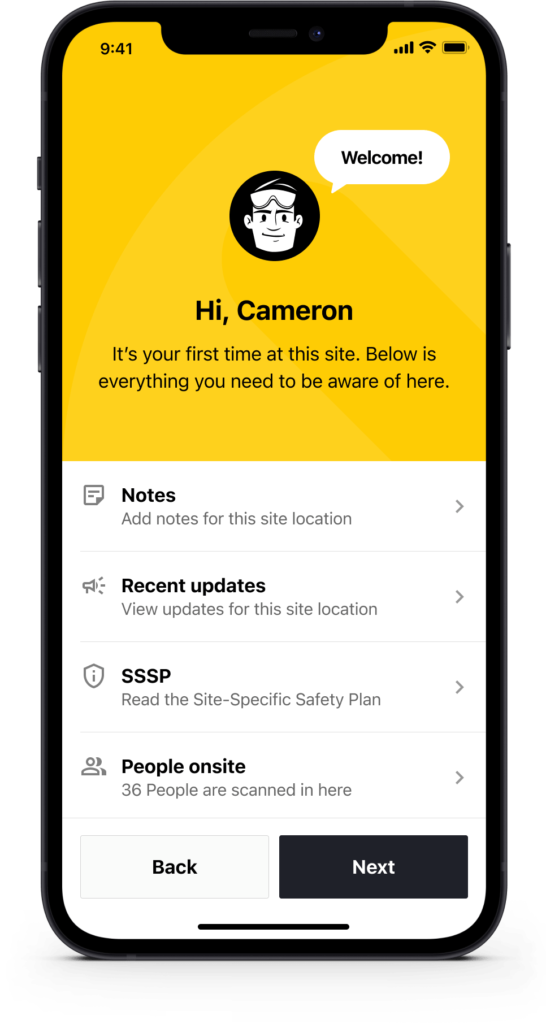
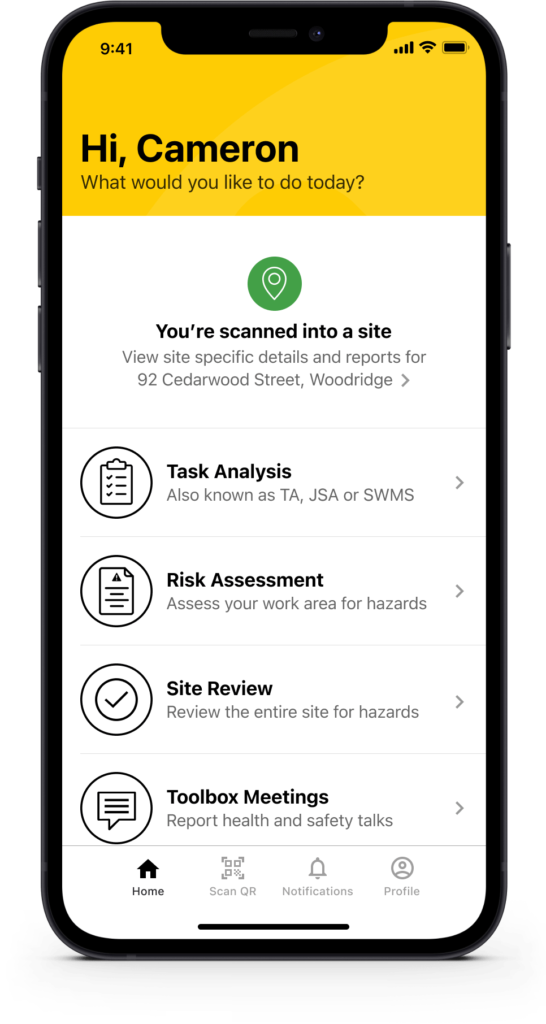
COVID-19 meant that we needed to change some of the questions we asked. When people scanned onto the site we made them aware of the potential health risks to them and others. Once they scanned in successfully, they had access to all the information related to that particular site. Important information such as recent updates, people onsite, health and safety documents, SSSP (Site Specific Safety Plan), site and emergency details.
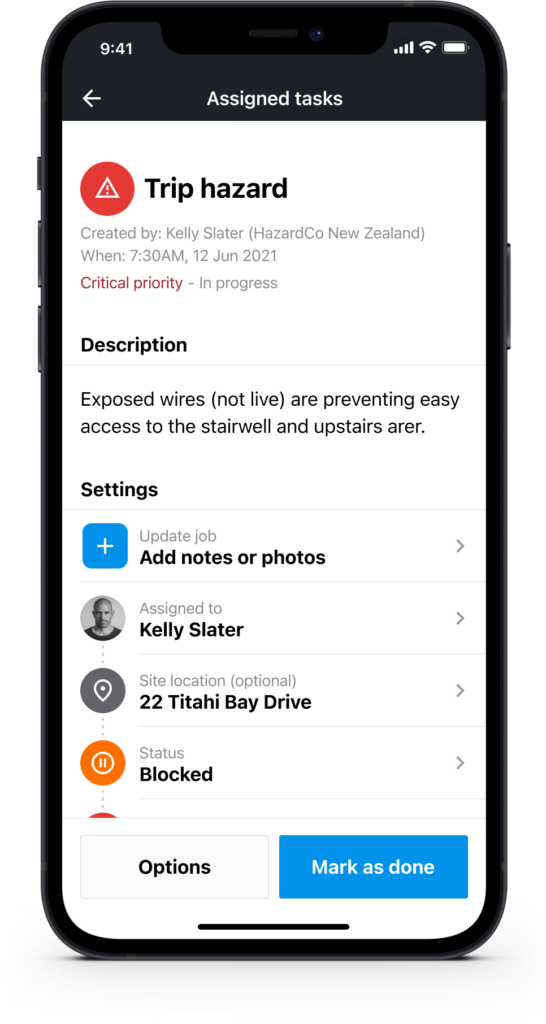
Create reports, assign tasks on the go with ease
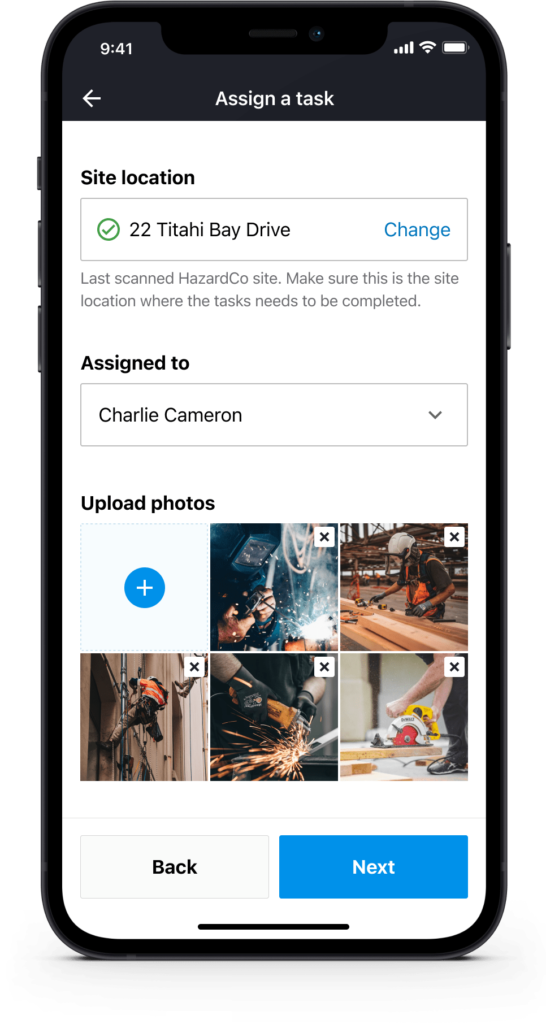
Our self-guided forms allow you to quickly create various health and safety reports. With the ability to assign tasks, attach photos, provide updates and leave comments you can easily track your progress.
Stay on top of a busy site, check progress and monitor tasks
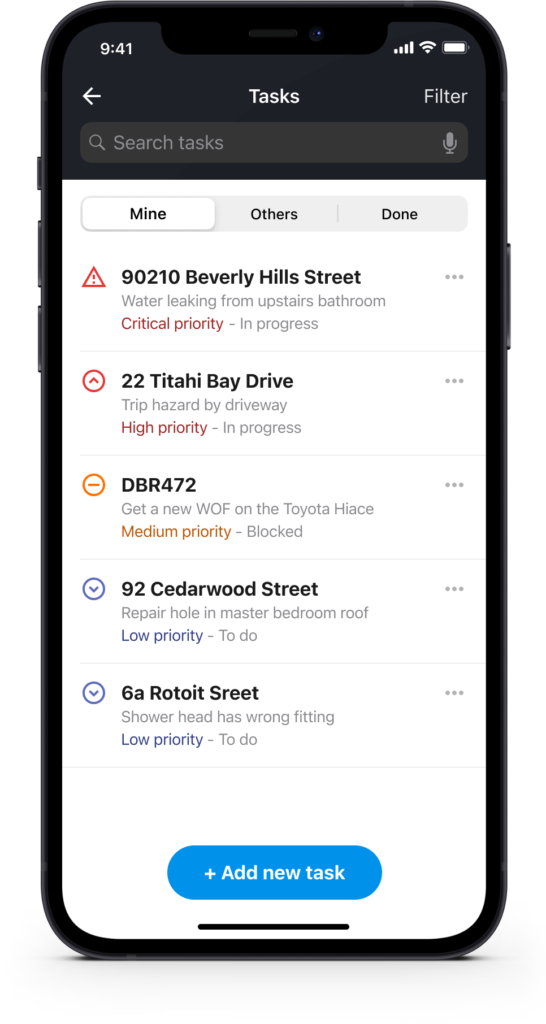
Easily check the progress of jobs on your worksite. View recent comments, photos, change the status and priority, and reassign tasks.
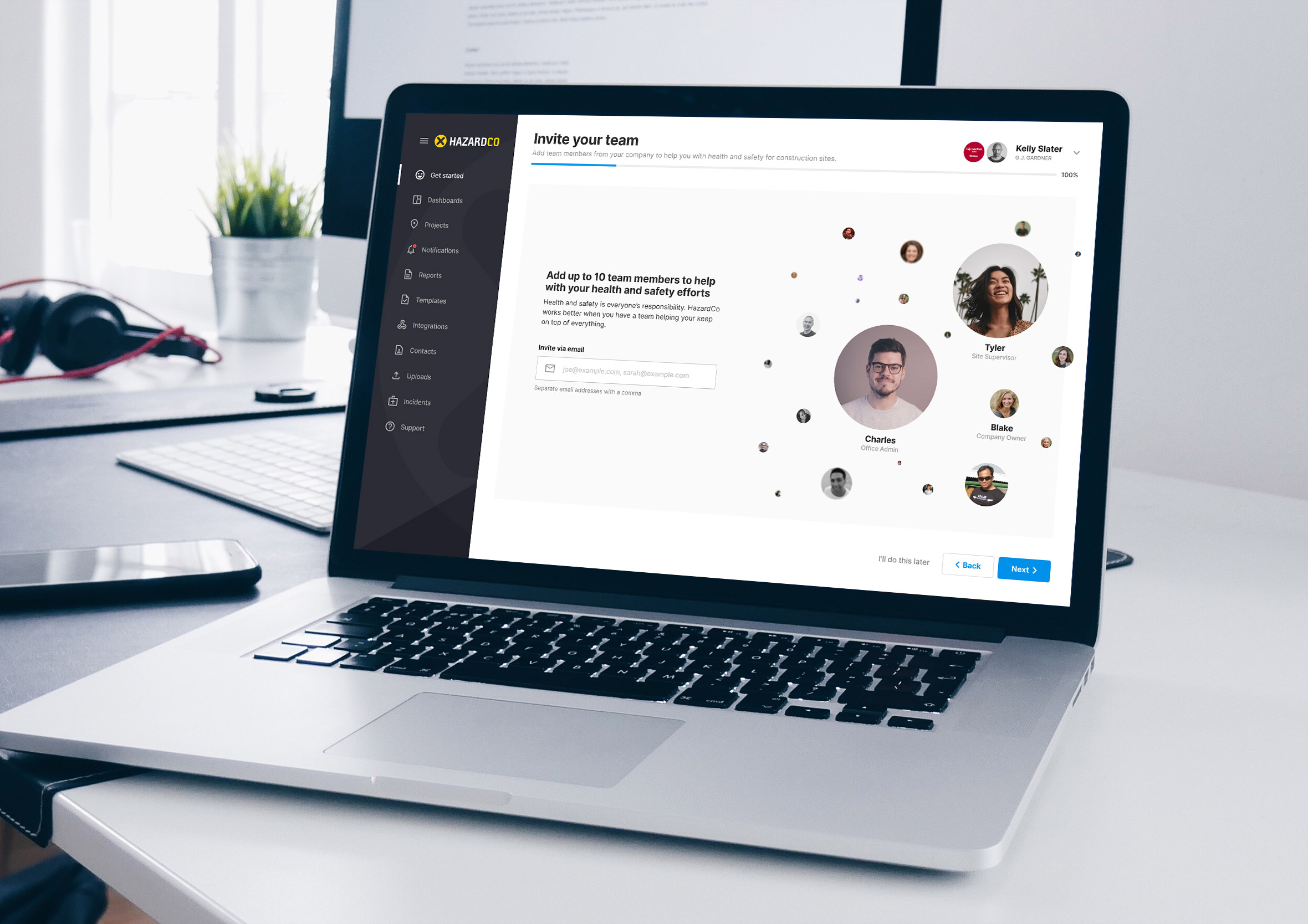
Add team members, assign roles and tasks from the dashboard
The onboarding process allows for new customers to quickly get up and running while learning the basics of the HazardCo product. Steps such as downloading the mobile app, reading and signing documents and how to induct and scan onto worksites ensures people get up to speed with ease. As part of their 7 day trial, the site manager sets up the project and invites the rest of the team to join via a simple link, assigning each person a role with the right level of responsibility, so everyone knows what’s happening onsite and what still needs doing.
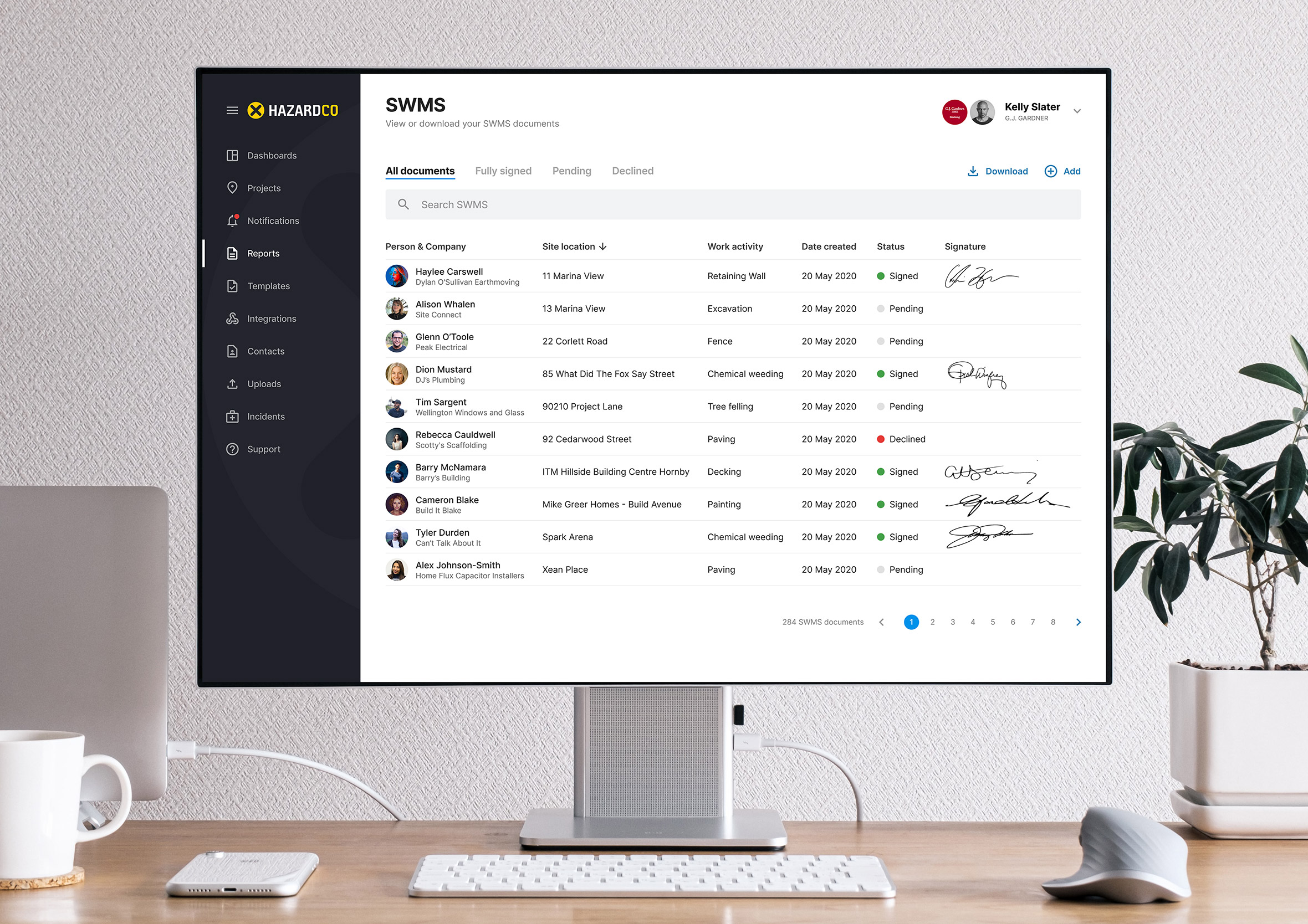
Monitor, manage activity and view compliance documents
All reports completed via the mobile app are automatically uploaded to the cloud and can be accessed onsite or back at the office. In the unlikely event of an audit, you will have a digital paper trail with names, dates and signatures at your fingertips. HazardCo support is only an email or phone call away if you have any questions.
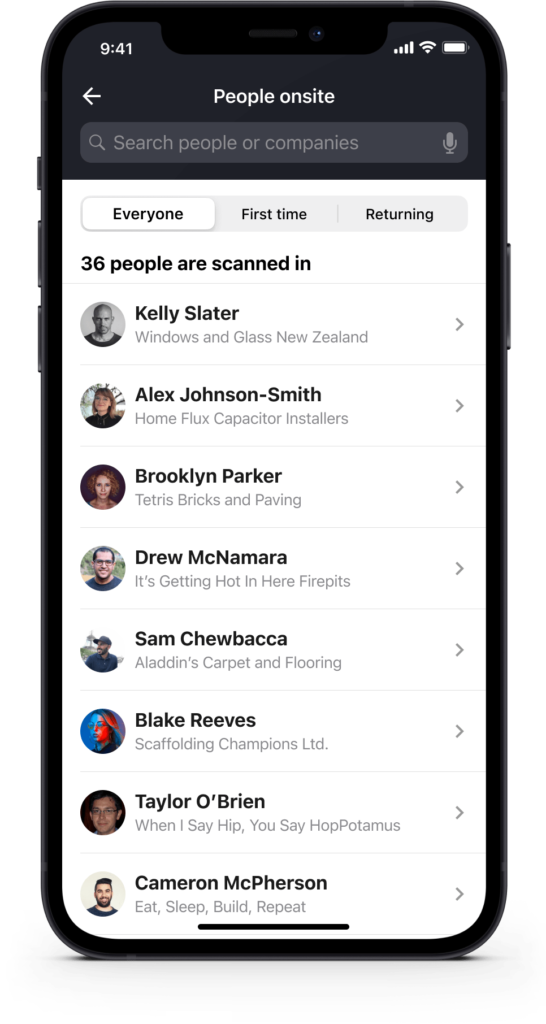
Greater transparency onsite so everyone knows what’s going on
The classic saying “Health and safety is everyone’s responsibility” is at the core of everything we do. The feedback we got from site owners was that they wanted greater transparency of which trades and people were onsite. With the ability to search or filter by person or company, you can quickly check in with them to make sure they’re okay and have everything they need.
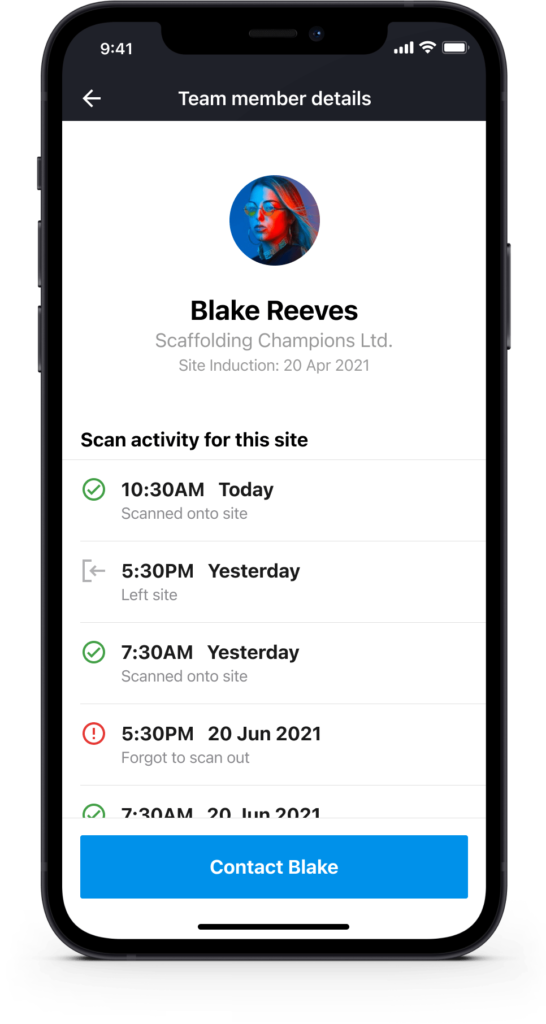
Digital signatures, accountability and alignment
Everyone needs to pitch in to keep themselves and others safe on site. Part of this is agreeing on how to approach work, putting safety measures in place and holding people accountable for their actions. Digital signatures on key documents, like the SSSP or induction forms, put that agreement on record instead of leaving it assumed. Education (such as Toolbox Talks) plays a huge part in improving health and safety culture and preventing incidents.
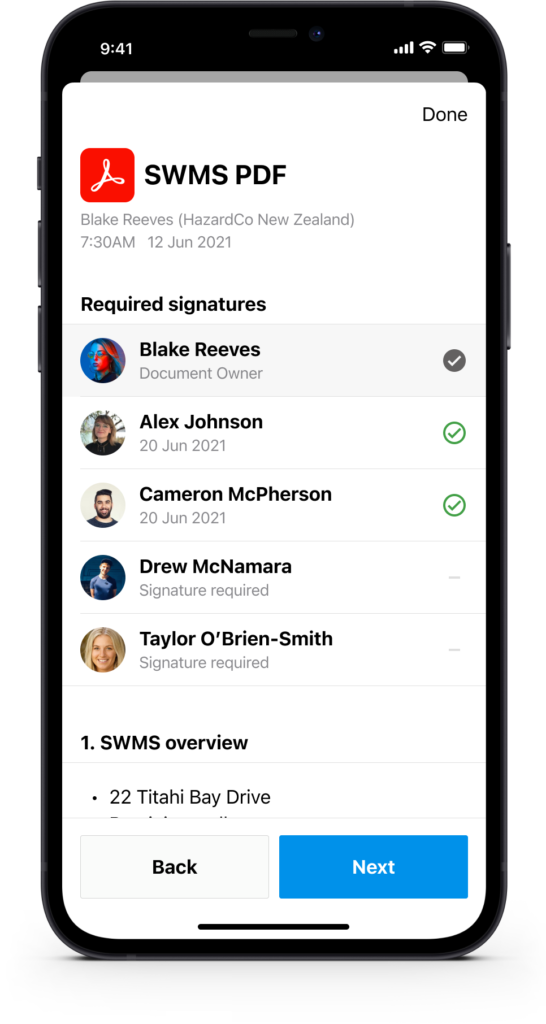
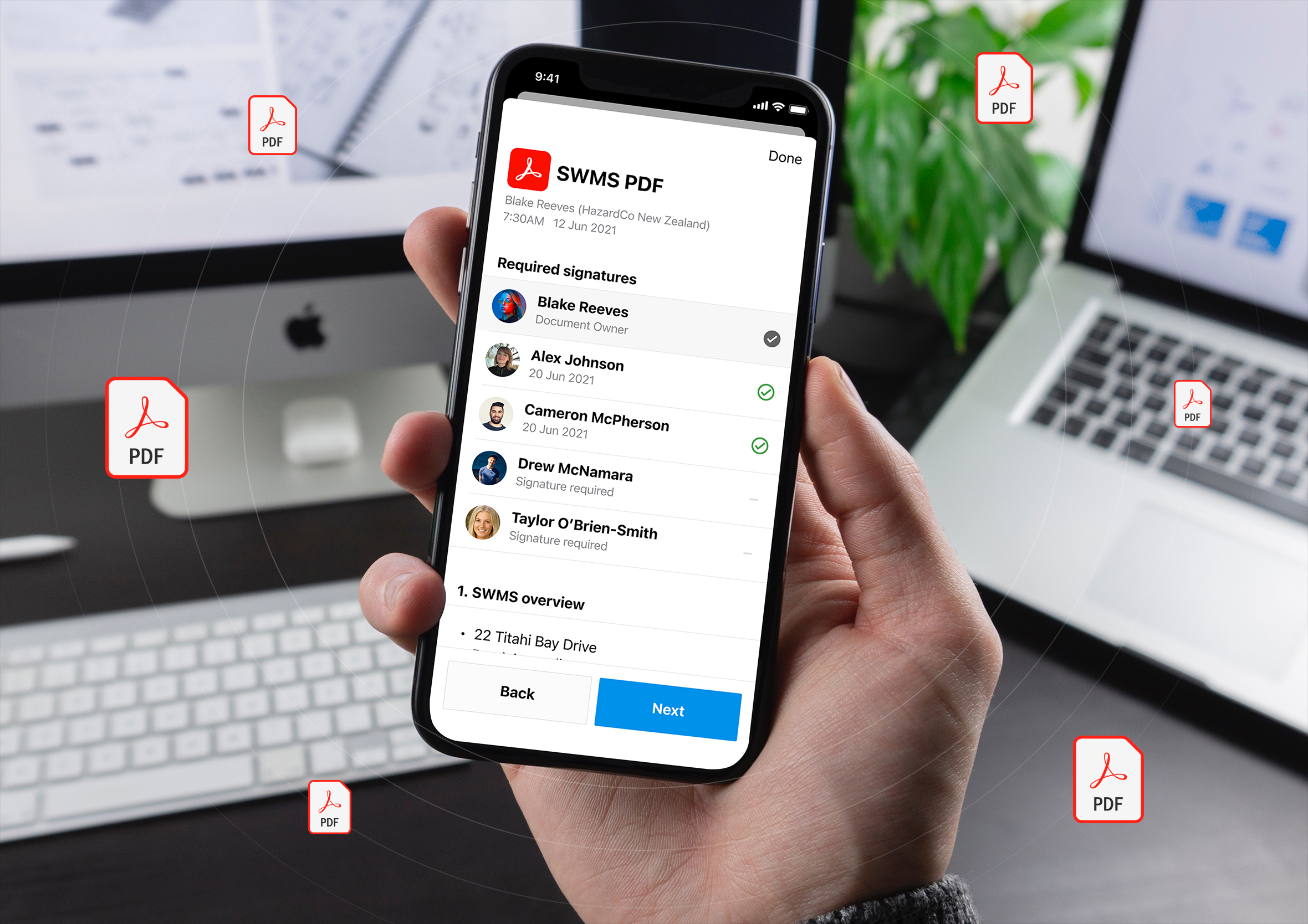
Reduce the need for paper with digital documents
Construction sites are notorious for the amount of paperwork they generate. This is a good thing in regards to keeping people safe, however, paper is at the mercy of the elements (e.g. dust, wind, dirt, mud and water) and can easily become damaged or misplaced. Having access to all the documents you need via the app makes finding what you’re looking for a breeze.
Let people know what’s going on when plans change
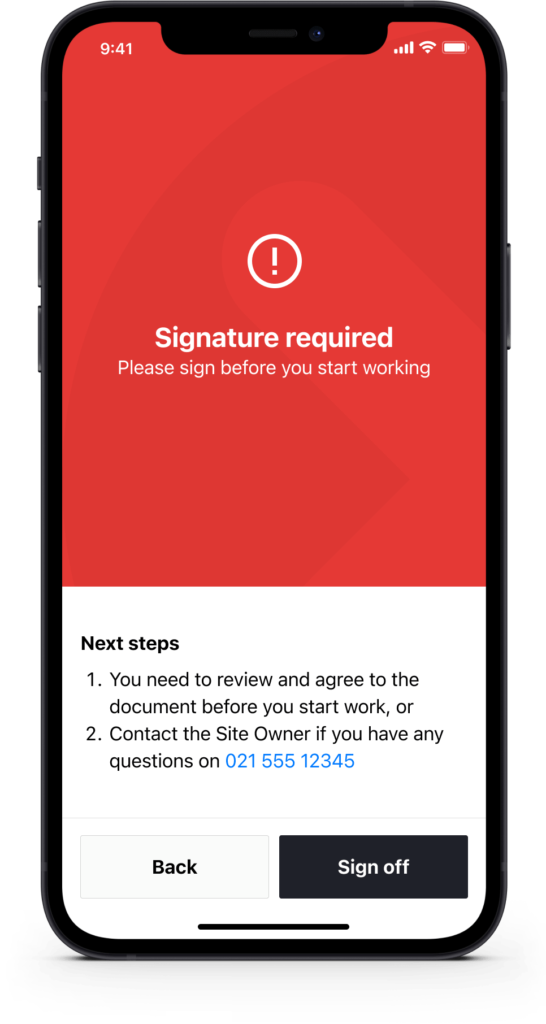
When things don’t go to plan, tell customers what happened, why it happened and what they can do to resolve the issue themselves. Success and failure screens are a great opportunity to provide context and next steps without the need to contact support. I’m a big fan of the design trifecta: iconography, colour and text working together.
Notifications and reminders for when you’re under the pump
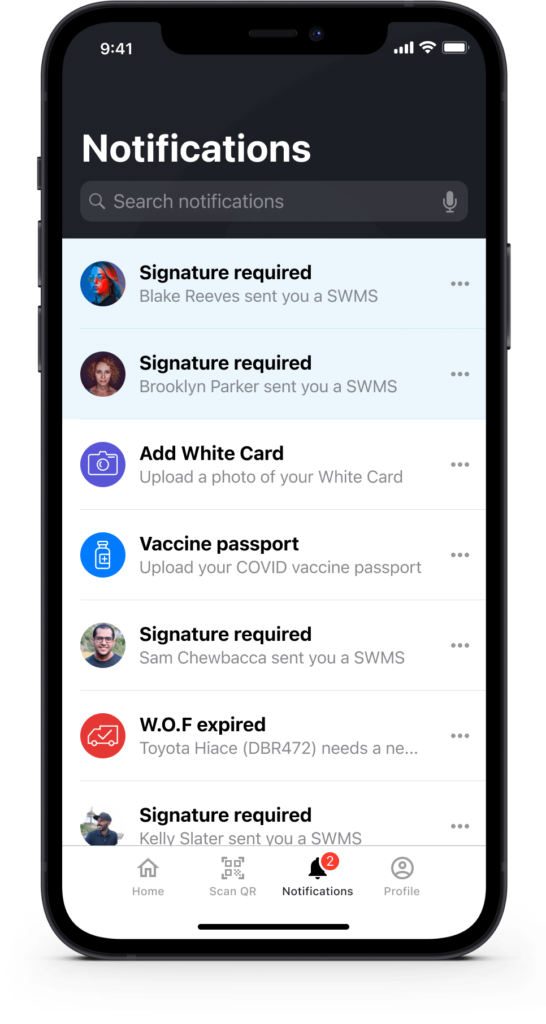
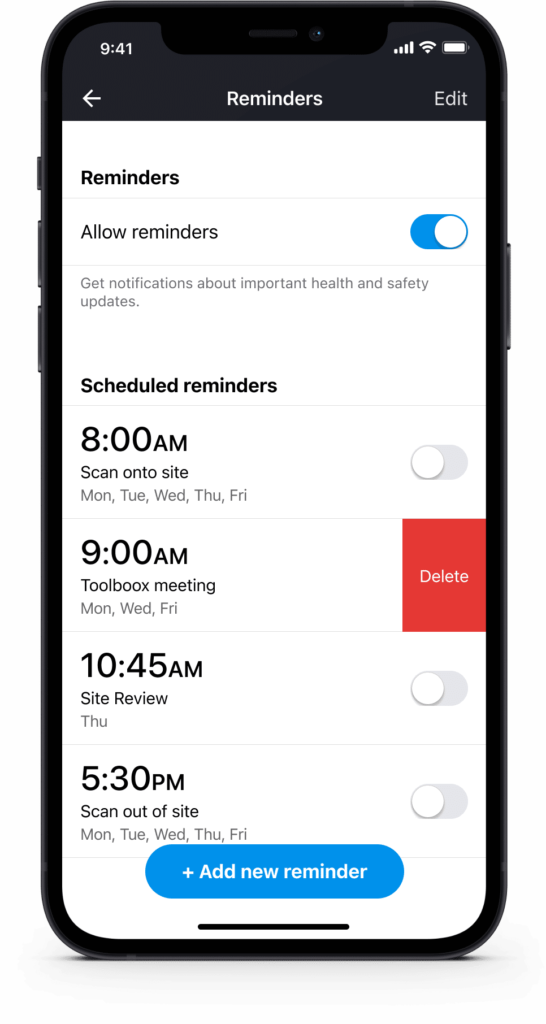
On busy construction sites, it can be tricky to remember the one hundred and one things you need to do. We designed the app to do most of the heavy lifting for you. You can get notifications and reminders on what needs to be done at each site, so important tasks don’t slip your mind.
Streamlined forms and templates to get you up running
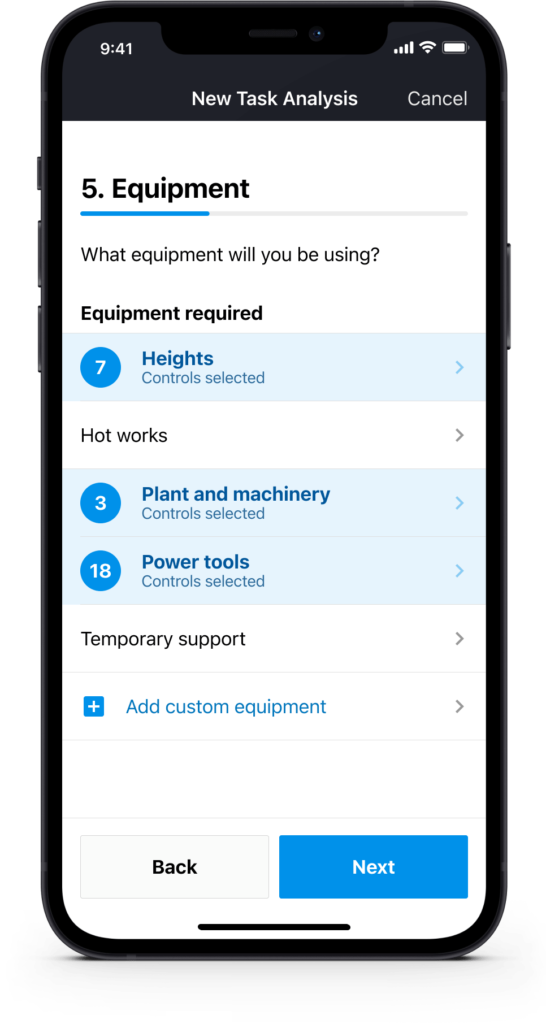
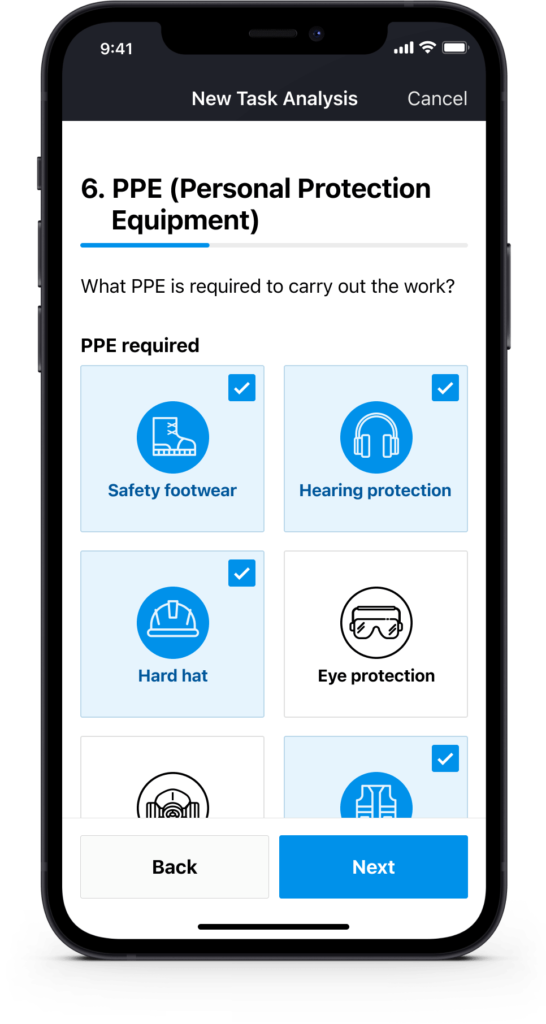
In the construction industry, historically there’s always been lots of forms to fill out. Reevaluating our content, drastically reducing word count and making forms more visual helped to increase understanding of what was being asked and minimised the time to complete forms. We also introduced templates to speed this process up even further.
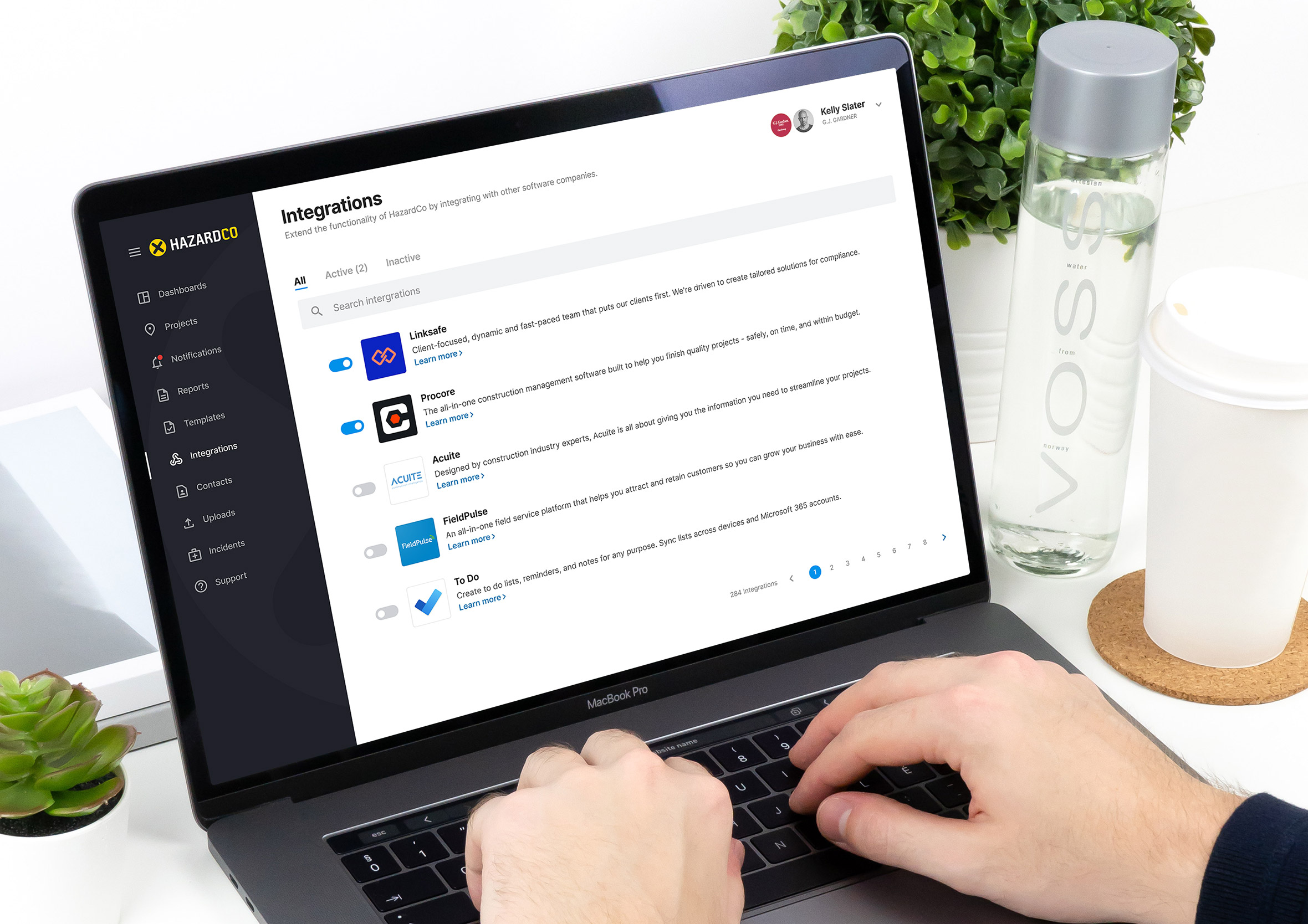
Extend HazardCo functionality with third-party integrations
By partnering with other software companies we were successfully able to extend the functionality of our health and safety platform. Integrations such as contractor management (ensuring people are qualified to do the job), dashboarding, reporting and project management allowed our customers to manage their worksites with greater confidence.
Boots on the ground information with real-time updates
None of the value in this app comes from head office. It comes from someone standing on an actual site, scanning a QR code, filling in a report, flagging a hazard, while the person back in the office who’s never set foot on that particular build gets to see it happen in real time.
That’s the whole point of taking health and safety off paper. A paper form sits in a folder until someone drives out to collect it. A phone in someone’s pocket onsite sends the same information back instantly, so decisions get made on what’s actually happening right now, not what happened last week.
The same principle shaped ACC’s risk assessment work too, another project built on the idea that the people closest to the hazard should be the ones feeding information back, not the other way around.